
Modified on: 10 Aug, 2026
If your hiring needs have changed, you can upgrade or downgrade your Jooble subscription at any time directly from your employer dashboard. This guide explains how to switch between subscription plans quickly and without interruption to your job postings.
Step 1. Log in to your employer profile
Go to Jooble for Employers and sign in to your account.
Step 2. Navigate to Subscription Settings
In your dashboard, go to Subscription management. Here you will see your current active plan along with available alternatives.
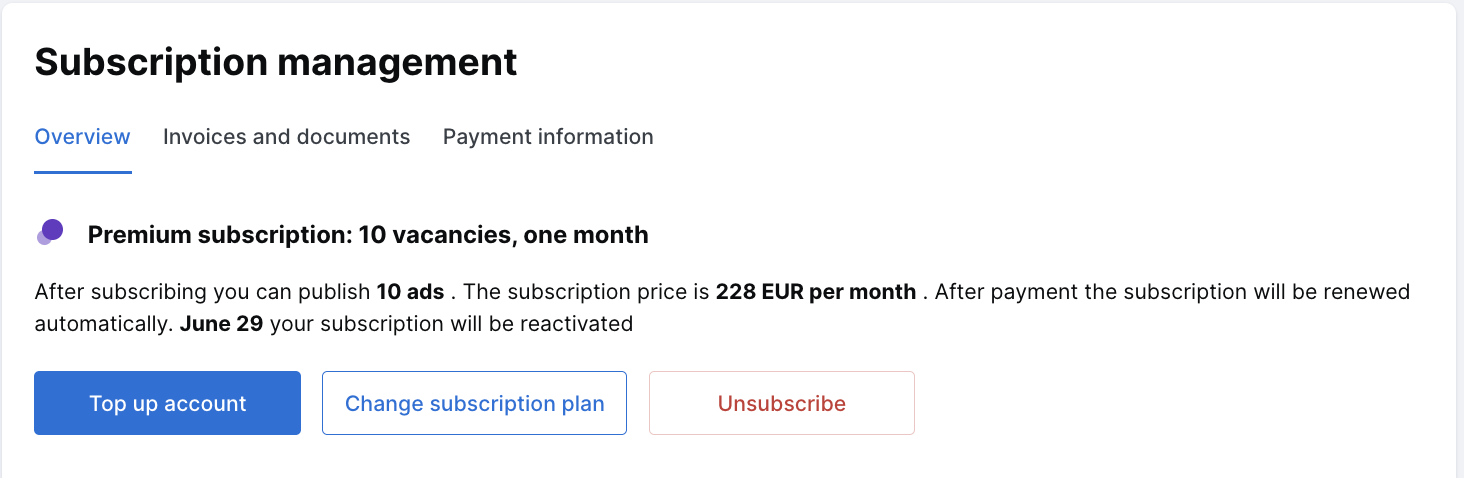
Step 3. Select a new subscription plan
Review the available plans and click Change Plan next to the subscription you would like to switch to. Switching between billing models is not possible within the same account. To use the CPA model, you will need to create a new account profile.
Please note: The CPA model is not yet available in all countries. Please reach out to our support team to check availability in your region.
Step 4. Confirm the change
Once you have reviewed the details, confirm the plan change.
Kindly note that no refund is issued for the remaining period of your current subscription when switching to a new plan.
The new plan will become active once your current subscription period expires. If you would like to activate the new plan sooner, please contact our support team and we will be happy to assist.
Step 5. Verify your payment profile
If your new plan requires updated billing information, you will be prompted to create or update your payment profile. Ensure that all details are accurate to avoid any interruption in service