
Modified on: 10 Aug, 2026
To activate a subscription on Jooble, log in to your employer profile, click Activate Subscription Plan, choose a plan, and set up your payment profile. Here's each step in detail.
Step 1. Log In to Your Employer Profile
Go to the Jooble for Employers page and sign in to your account. Once logged in, you'll see the Activate Subscription Plan button in the top-right corner of the dashboard. Click it to begin.

Step 2. Select a Subscription Plan
The system directs you to the subscription selection page. Review the available plans and choose the one that best fits your hiring volume and budget. New here? See What Is Jooble Subscription? for a full breakdown of the Free, Standard, and Premium plans.
Step 3. Set Up Your Payment Profile
You'll be prompted to create and fill out a payment profile, or select an existing one.
Important: If you need a Completion Certificate or a tax invoice, fill out your payment profile as a legal person. This ensures billing documents are issued correctly for your accounting.
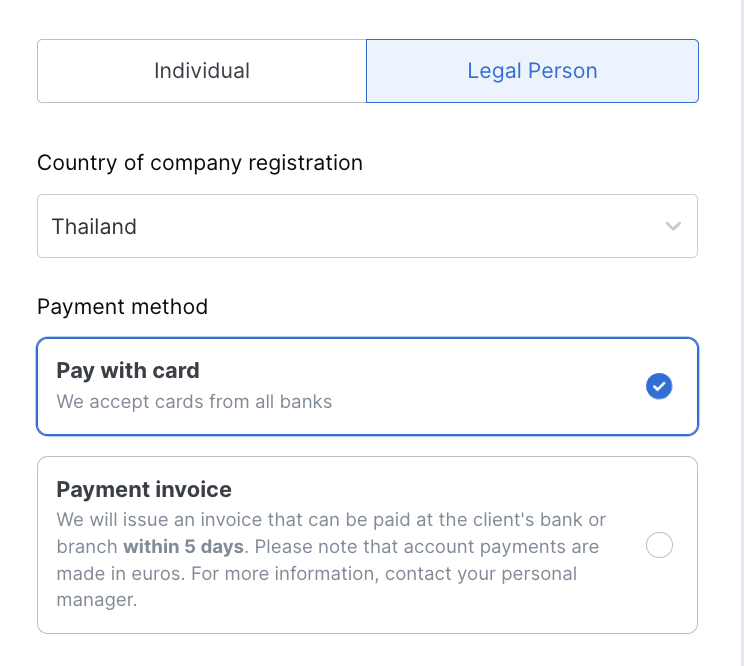
You can link a payment card (corporate or personal) for automatic recurring payments, or set up a payment profile with the invoice payment type.
If your account uses the CPA model, card payment is the only available method. If your account uses the subscription model, both card and invoice payments are supported.
Please note: the CPA model isn't available in every country yet. Contact our Support Team to check availability in your region.
Step 4. Confirm and Activate
Once your payment profile and payment method are set up, confirm your selection. Your subscription activates immediately, and you can start publishing job postings right away.
Before paying, check our Terms of Job Posting and Content Requirements.
What to Do Next
Once your subscription is active, head to A Guide to Posting Jobs on Jooble to publish your first listing. Want your logo on your job ads? See How to Add a Company Logo.
Running into issues during activation? Contact our Support Team — we're happy to assist.