
Modified on: 03 Jun, 2026
Jooble's mission is to make job searching as convenient as possible — including the ability to create a professional resume directly on our website, completely free of charge. Follow the steps below to build your resume using the Jooble CV Builder.
How to Create Your Resume on Jooble
To start, visit the Jooble CV Builder page and follow these five steps:

Step 1 — About
Fill in your personal information. Required fields include first name, last name, email address, city and country of residence. You can optionally add a phone number.
All changes are instantly visible in the CV template for desktop users. Mobile users can click Preview to see updates.
Step 2 — Experience
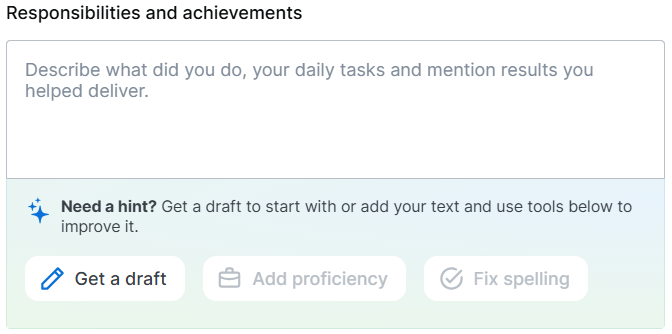
Add your professional background: job title, company name, start and end year, and your responsibilities or achievements. If you are currently employed, check the I currently work here box instead of entering an end year.
This step includes an AI feature — click Get a draft and the AI will generate a description of your responsibilities based on your job title in seconds:
Step 3 — Education
Add your academic background, including the level of education and school or university name. You can include multiple education entries.
Step 4 — Skills
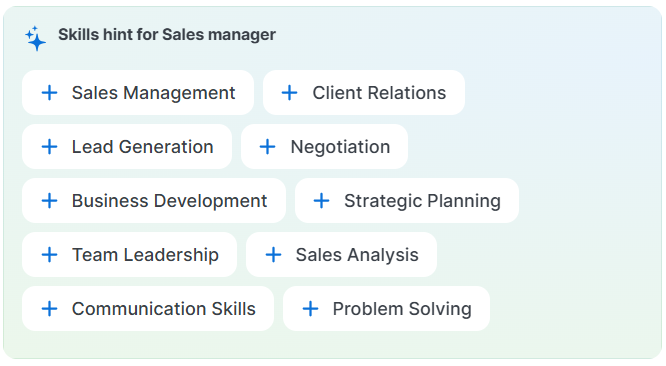
Fill in your skills. AI-generated suggestions based on your job title are available, or you can enter skills manually. Add or remove skills as needed:
Step 5 — Summary
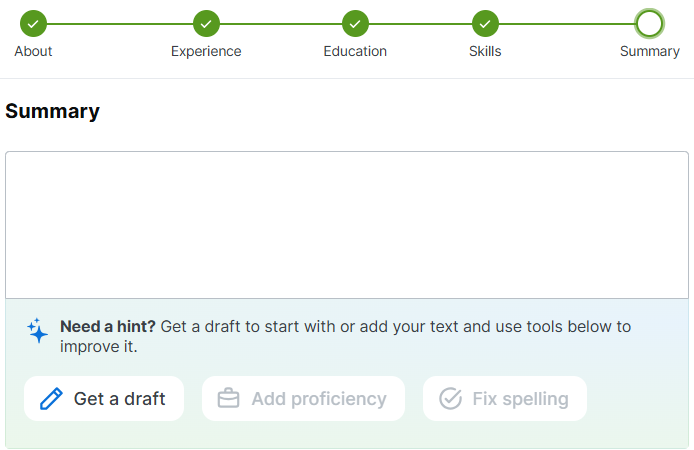
Write a concise professional summary highlighting your identity and value to employers. Use AI hints to generate or refine the summary based on your earlier inputs:
After finalizing your resume, click Save and Download to save it to your device and store a copy in your account for easy future access.
What to Include in Your Resume
- Contact details — full name, email address, city and country. Add a phone number to make it easier for employers to reach you.
- Work experience — list your most recent roles first. Include job title, company, dates, and key responsibilities or achievements.
- Education — include your highest level of education and the name of your institution.
- Skills — add relevant technical and soft skills that match the jobs you are applying for.
- Summary — a short 2–3 sentence paragraph about who you are and what you bring to employers.
Tips for a Strong Resume
- Use specific job titles and keywords that match the vacancies you are targeting — many employers use automated screening tools.
- Keep your resume to one page if you have less than 10 years of experience.
- Focus on achievements rather than just duties — for example, "Increased sales by 20%" instead of "Responsible for sales".
- Proofread carefully — spelling errors can create a negative impression.
- Update your resume regularly, even when you are not actively job searching.
Uploading an Existing Resume
If you already have a resume prepared, you can upload it directly instead of using the CV Builder. When applying for a job on Jooble, you will have the option to upload a file in PDF, DOCX, JPG or PNG format (up to 10 MB). Your uploaded resume will be stored in your account and attached to your applications automatically.
If you are looking for additional tools to create or format your resume, there are several free online services available, such as Canva, Zety, or Resume.io. However, for the simplest experience when applying on Jooble, we recommend using the built-in CV Builder.
What Do Employers See When You Apply?
When you apply for a job on Jooble, the employer receives your resume along with your contact details. Make sure all the information in your resume is accurate and up to date. For more details on the application process, see our article How to apply for a job.
What's next?
Have questions about creating your resume? Contact our support team or email us at help@jooble.com.