
Modified on: 03 Jun, 2026
Stay ahead in your job search by setting up job alerts on Jooble. Whether you are browsing as a guest or logged into your account, subscribing to daily email notifications is quick and easy. Here is how you can do it:
1. Subscriptions from the Search Results Page
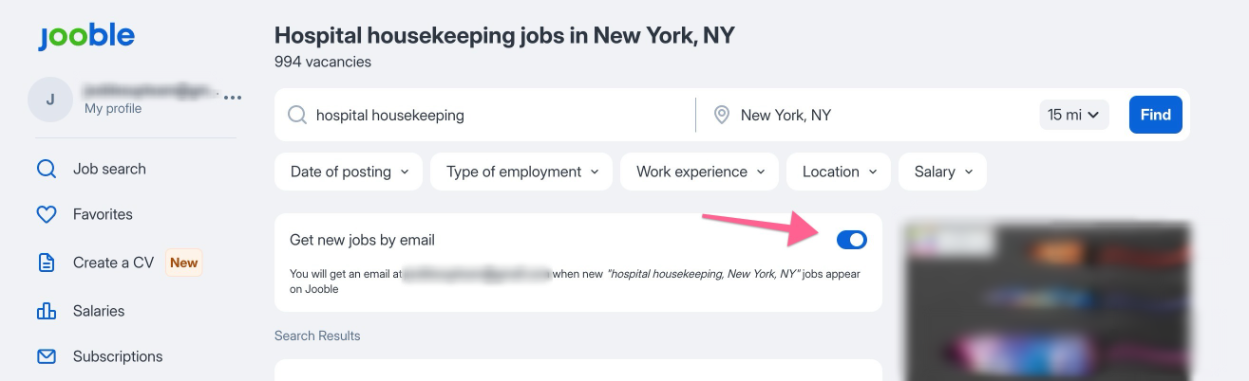
You can subscribe to job alerts for your selected search query using the "Get new jobs by email" toggle on the search results page.
- If you are a registered user and logged in: This toggle activates automatically upon searching, instantly creating an alert on your profile. You can tap it at any time to turn the subscription off.
- If you are browsing as a guest: You must manually tap the toggle to turn it on, enter your email address, and confirm to start receiving emails.
2. Additional Subscription Options
If you are browsing Jooble without logging into an account, you can easily subscribe to job alerts via several on-site widgets:
- Widget: On the right side of the search results.
- Pre-footer & Pop-ups: Found above the footer or when viewing specific vacancies.
- Job Description Form: Located directly below the vacancy details.
Note: Once you log in, guest-only widgets will disappear, but the option below the job description remains available.
3. Personalized Recommendations & Useful Updates
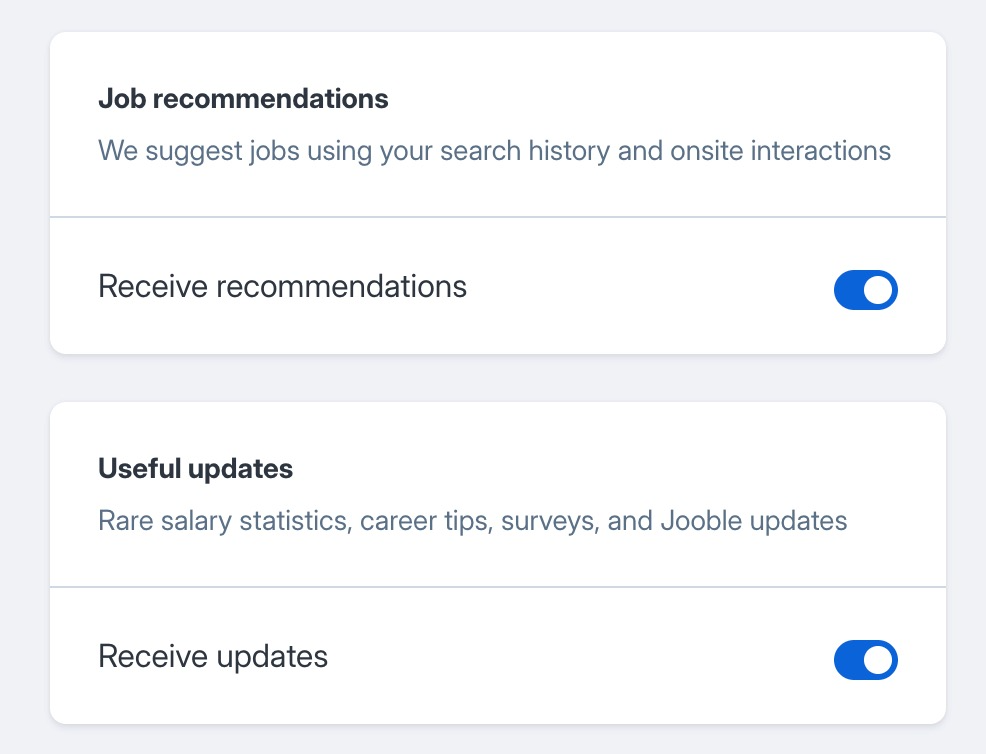
For logged-in users, Jooble sends personalized recommendations based on your search history. You can also opt-in for career tips and salary statistics in your settings.
Where to Find Your Active Subscriptions
You can view your active alerts at any time by following these steps:
- Log In to your Jooble account.
- Click on your Profile icon.
- Open the Subscriptions tab.
What's Next?
- Need to change your search criteria? See how to edit a job subscription.
- Found a job? Check our guide on how to unsubscribe from job alerts.